To use the Vive Focus with VG in your project, we recommend to use the Wave XR Plugin for Unity, which will connect to UnityXR. We also recommend to use Wave XR’s DirectPreview which allows you to run your project with VR in the Unity Editor without the need of building an apk (like Oculus Link).
We will guide you through the main steps to set this up:
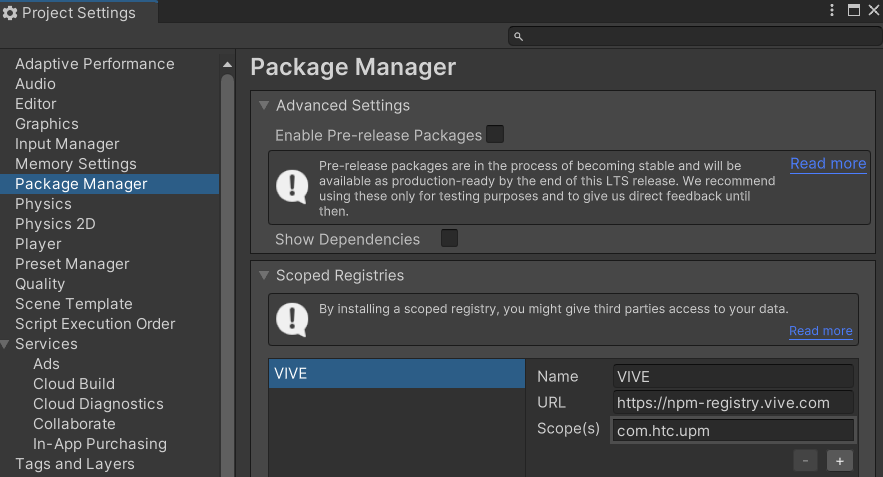
Setup a scoped registry to register the Wave XR Plugin server
Got to “Edit -> Project Settings -> Package Manager” and add a scoped registry as below.
Install the Wave XR Plugin
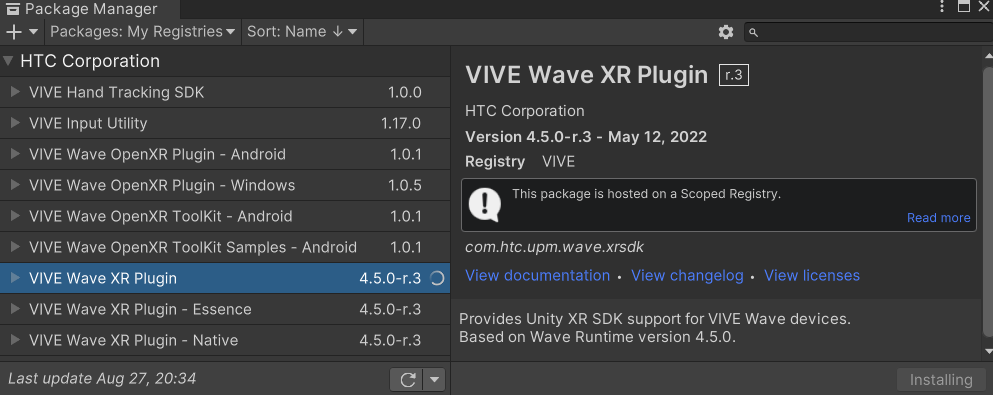
Navigate to “Window -> Package Manager” and choosing “My Registries.” You will now see a number of packages that are now available through the scoped registry. Install the “Vive Wave XR Plugin”.
Enable the Wave XR Plugin
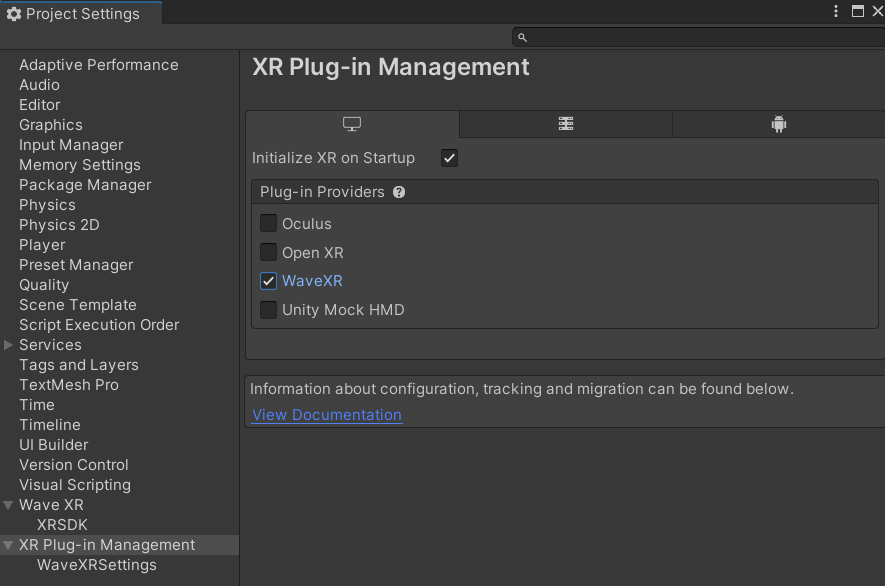
Navigate to “Edit -> Project Settings -> XR Plug-in Management.” You will now see “WaveXR” as a plugin provider for UnityXR. Enable it both for Windows as well as on the Android tab.
Configure the Wave XR Plugin
During the earlier steps the Wave XR configuration dialog should have popped up. Accept All.
If the dialog did not pop up, you have probably selected the Windows platform. Navigate to “File -> Build Setting,” select “Android” as your platform and click “Switch Platform.” Now the dialog should appear. Accept All.

Configure and Use DirectPreview
Under “Wave -> Direct Preview” enable “DirectPreview.” Then, open the “ControlPanel.”
If you have a cable connected your Vive headset with a USB cable to your computer, select USB, then:
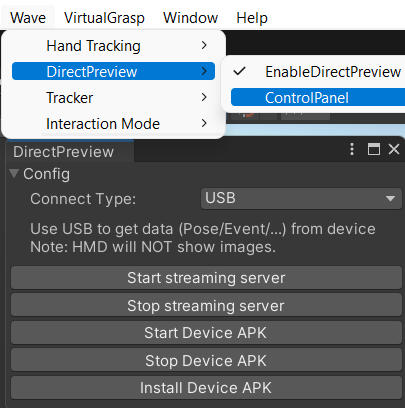
- “Install the Device APK” onto your headset (you only need to do this once). This will install the “DirectPreviewUnity” app on your headset.
- When you want to start your app, “Start the Device APK” in the ControlPanel. In your headset it will show “Connecting.”
- Quickly after (the headset may timeout otherwise), start your Unity project. You will not see anything in the headset, but you need to cover the proximity sensor to keep the apk running.
Using VirtualGrasp
When using VirtualGrasp, assure that in your “MyVirtualGrasp” script, you are using the “VG_EC_UnityXRHand” controller profile, and you will able to use VirtualGrasp with your Vive headset.
